9xbuddy Video Downloader
A downloader for videos and images, from pasted link to organised library, with a queue you control and bulk tools for heavier use.
Overview
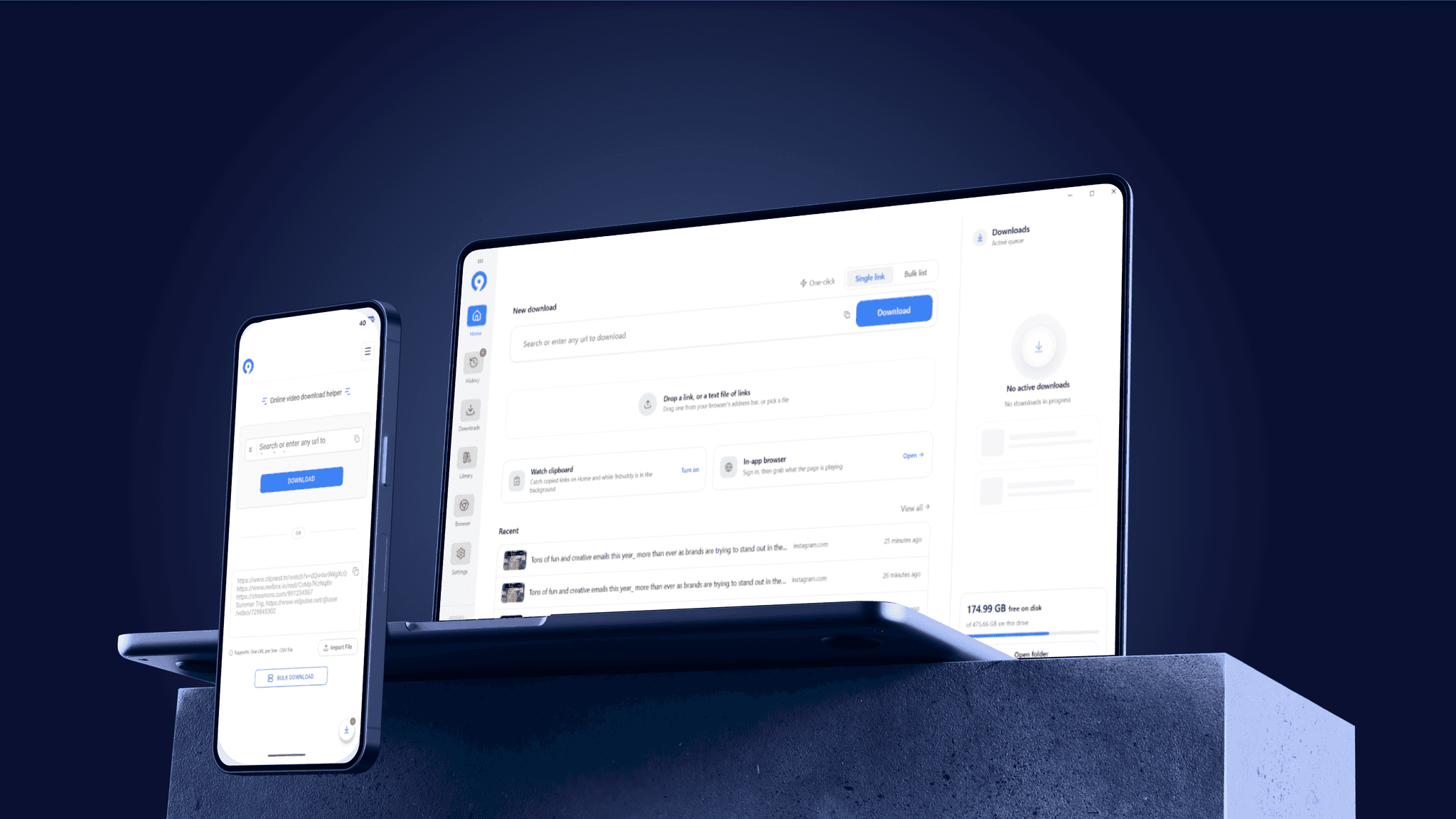
9xbuddy is a video downloader from 123sudo for desktop (Windows, macOS, and Linux) and Android. People use it to save videos, audio, and playlists from supported sites and keep them in a local library. As the UX designer at 123sudo, I redesigned the experience on desktop and mobile, from starting a download to finding files later.
Problem Statement
9xbuddy started as a simple tool: paste a link and download. As the product grew to include bulk downloads, a built-in browser, trimming, and a larger library, the interface no longer supported what people were doing. Starting several downloads meant repeating steps, people had little information before they committed, and active downloads, finished downloads, and saved files were hard to tell apart. The challenge was to keep that first step fast, and to give each new capability a clear place on both desktop and mobile.
The Approach for 9xbuddy
The redesign treats the full download journey as one flow: begin, choose, track, and find again. The simplest path stays first (paste a link, see your options, download), and everything else is built around it. Each area has one clear job, and one layout runs across the whole app.
Steps Taken
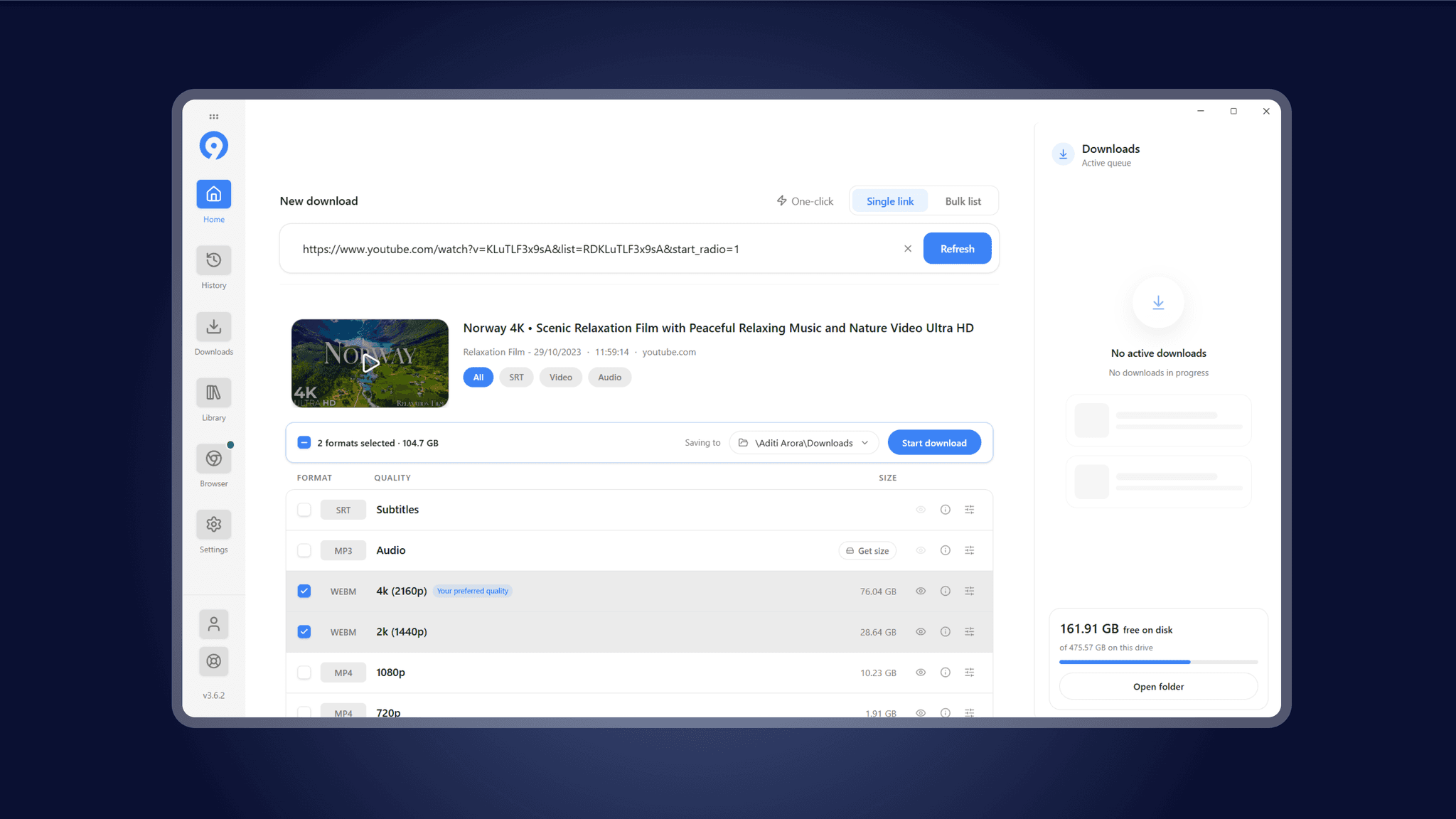
- A Simple Starting Point: One focused link field, with single link, bulk list, and one-click modes above it, plus drag and drop for links and link files. Bulk and one-click are Pro.
- Informed Choices: Each available format appears with its quality and file size, and the preferred quality is highlighted. Audio, subtitles, and 4K/8K show when the source offers them.
- A Queue You Can Control: A live queue beside the work shows progress and free disk space. Any transfer can be paused, resumed, or retried.
- Understanding Past Activity: History records every attempt, including failed and cancelled ones, with filters and search.
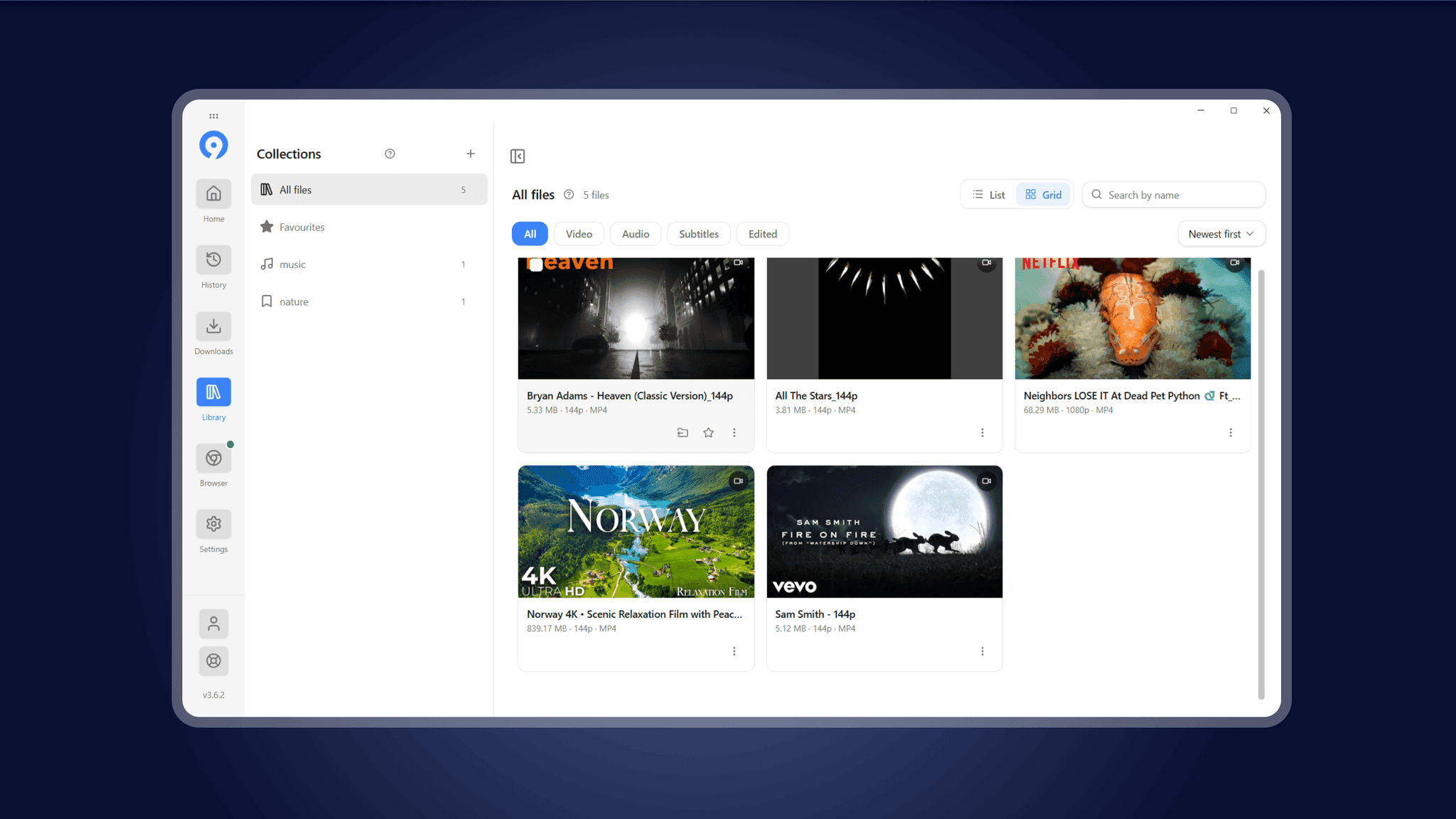
- Finding and Organising Files: A Library with collections, favourites, filters, and tags like “Trimmed”. Files can be dragged straight out to Explorer or Finder.
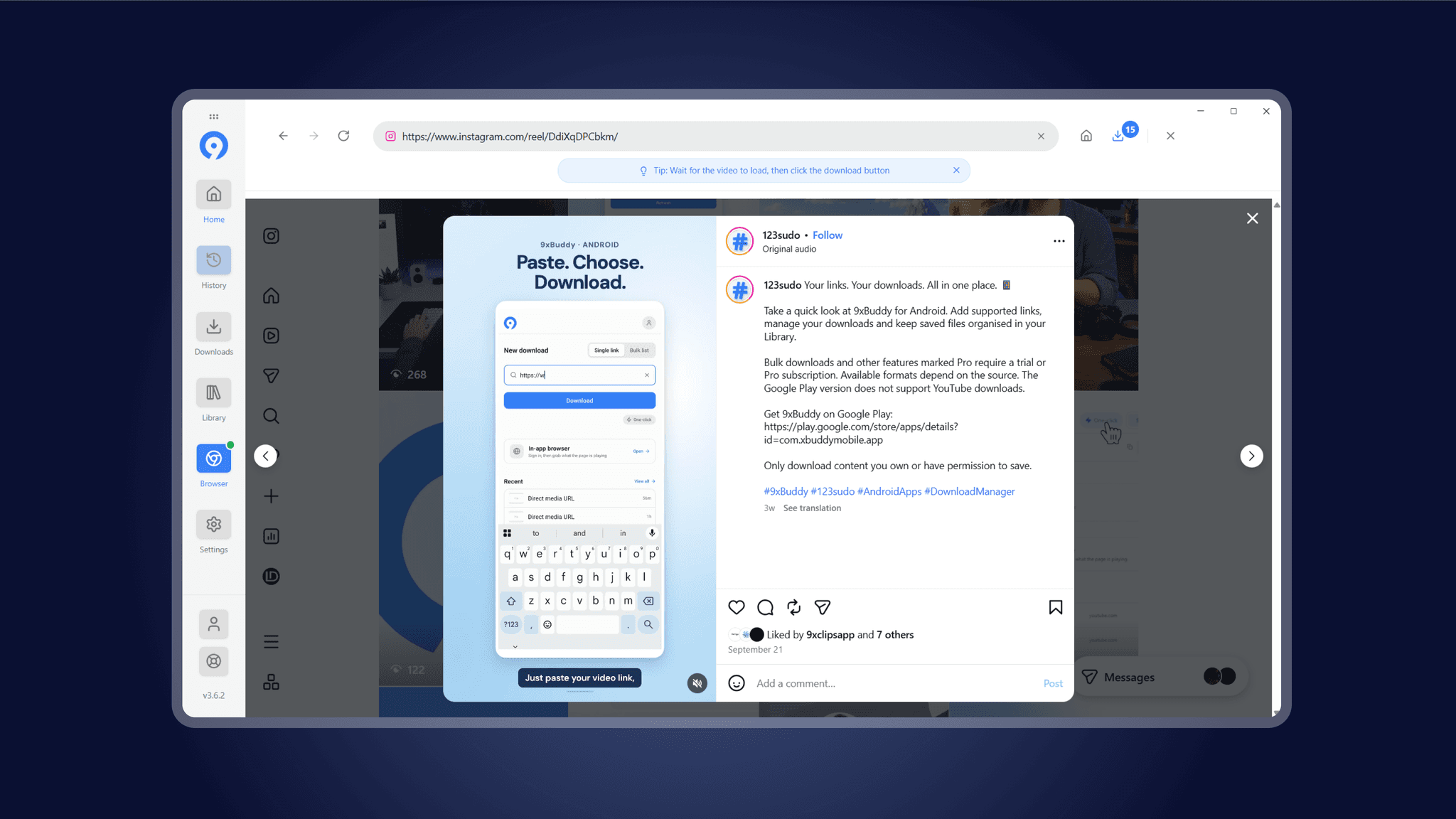
- Downloading From the Web: A built-in browser with suggested sites, so people can sign in and download from a page directly.
Key Improvements
- A fast, clear path from link to download
- One-click and bulk downloading for heavier use
- Format, quality, and file size shown before downloading
- A live queue with pause, resume, and retry
- A searchable history and an organised library
- A built-in browser and quick trimming
- Clipboard watching, tray support, and local languages
- One consistent layout across the whole app.