9xchat AI Workspace
A private AI workspace that brings many models, tools, and workflows into one app, designed to stay simple and under the user’s control.
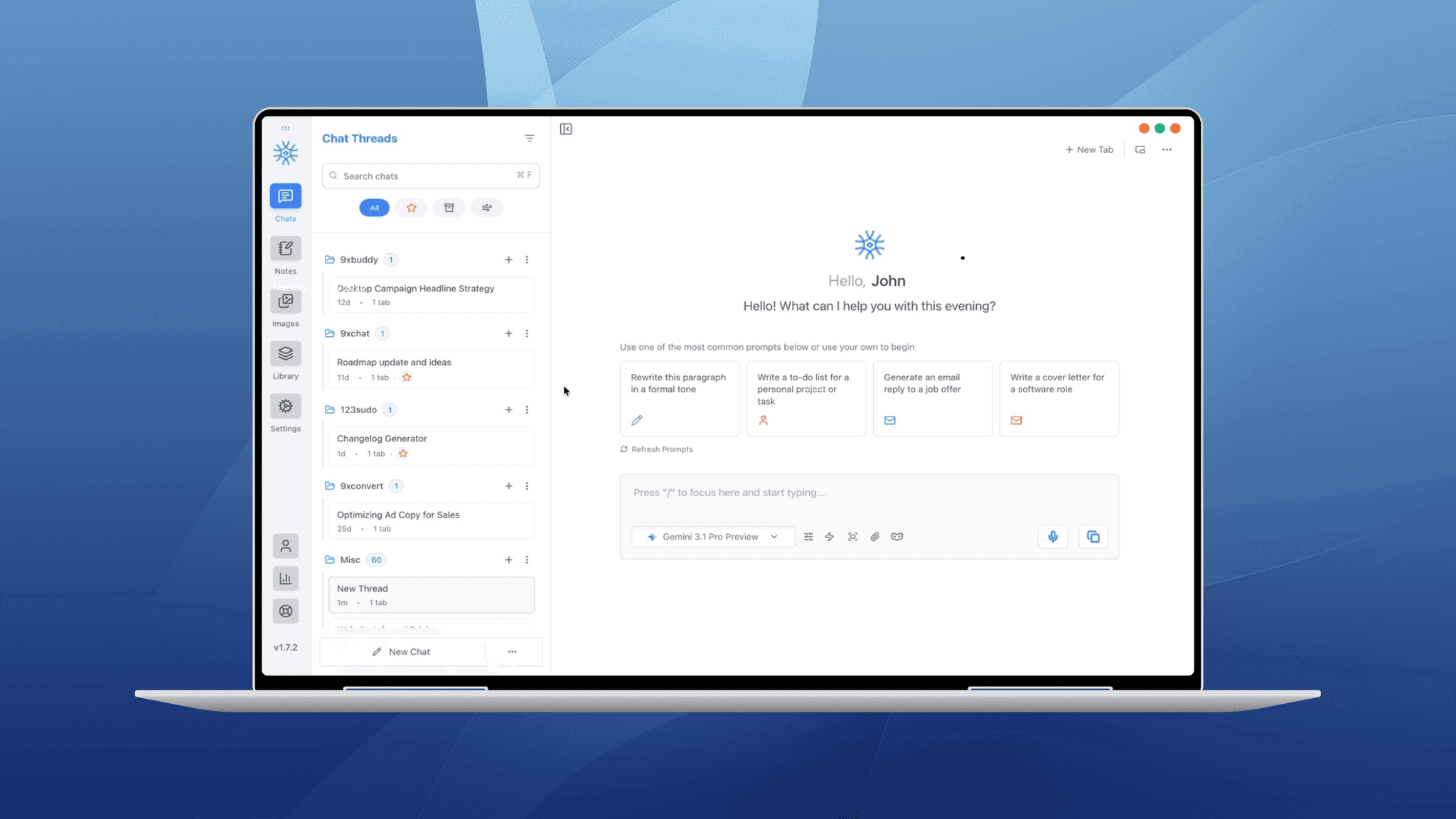
Overview
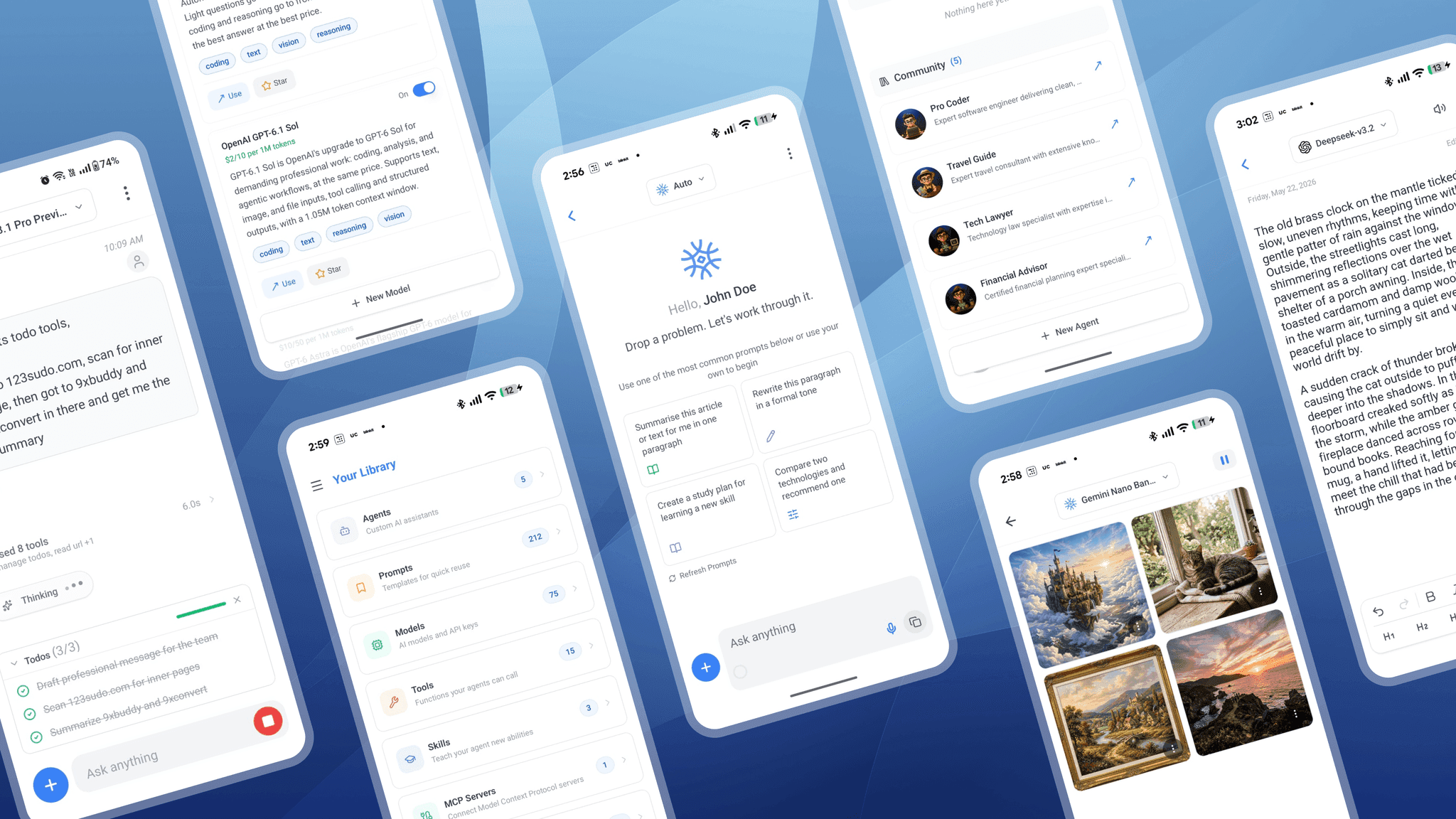
9xchat is a private, agentic AI workspace that brings all your favorite AI models into one app. People can use cloud models, their own API key, or a model running on their own device, and their data stays private and local. It is a workspace, not just a chat box. Chats, notes, images, code, and a library of agents, prompts, tools, and skills sit side by side. It runs on Windows, macOS, and Linux, with companion apps for Android and iOS, and there is no email or password sign-up. As the UX designer at 123sudo, I designed key features across the app, including the Skills section, image editing, and the Code Workspace.
Problem Statement
9xchat combines many models, tools, and workflows in one place, which is its biggest strength and its biggest design risk. A workspace this powerful can easily feel overwhelming, especially for new users who don't know where to start. When the AI edits images or code, people need to see exactly what changed and be able to undo it. The challenge was to keep all this power approachable and under the user's control.
The Approach for 9xchat
We focused on making each feature easy to start, clear to follow, and safe to trust. Every feature opens with simple suggestions or quick actions instead of a blank screen. AI changes are always shown before they are accepted, with a clear way to undo them. Patterns stay familiar across desktop and mobile, so moving between devices feels natural.
Steps Taken
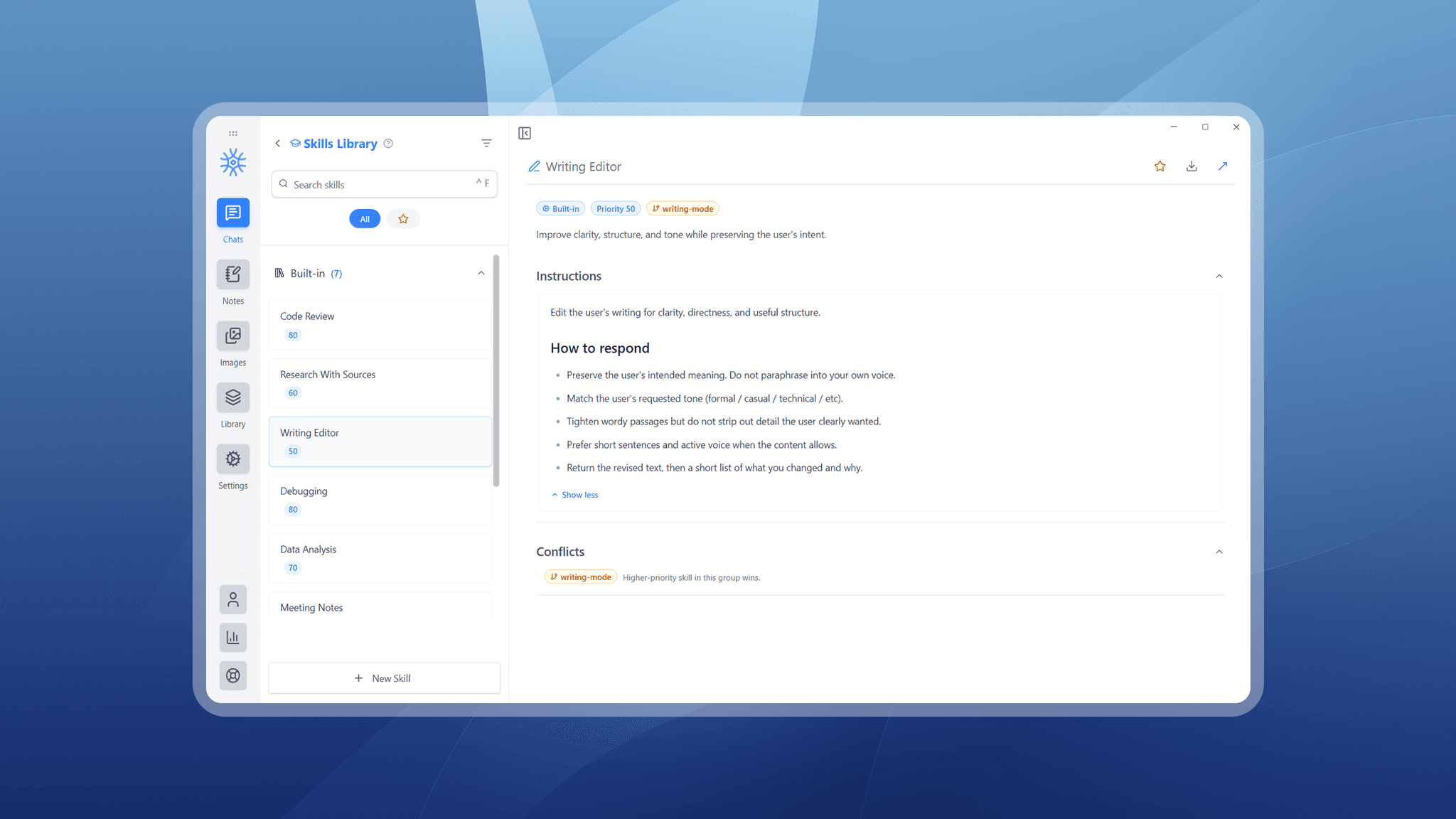
- Skills section: We designed the full flow for skills, which are reusable instructions the AI can follow: a list to browse them, a detail view to understand each one, and create and edit screens to build your own.
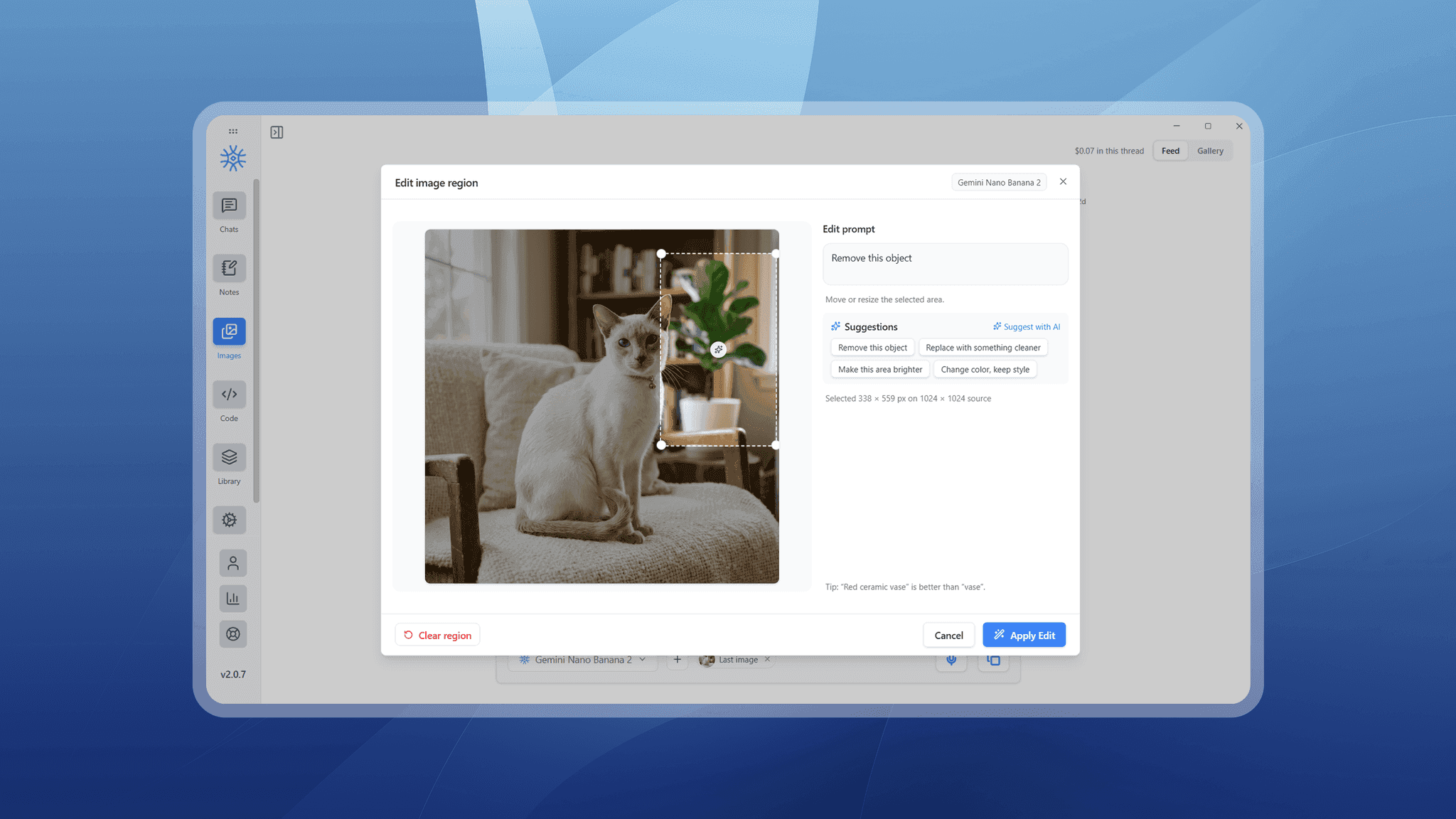
- Image region editing: We designed a selection box users can move and resize on an image, so an edit applies only to the chosen area. One-click suggestions, "Suggest with AI", and a prompt tip help people write better edits.
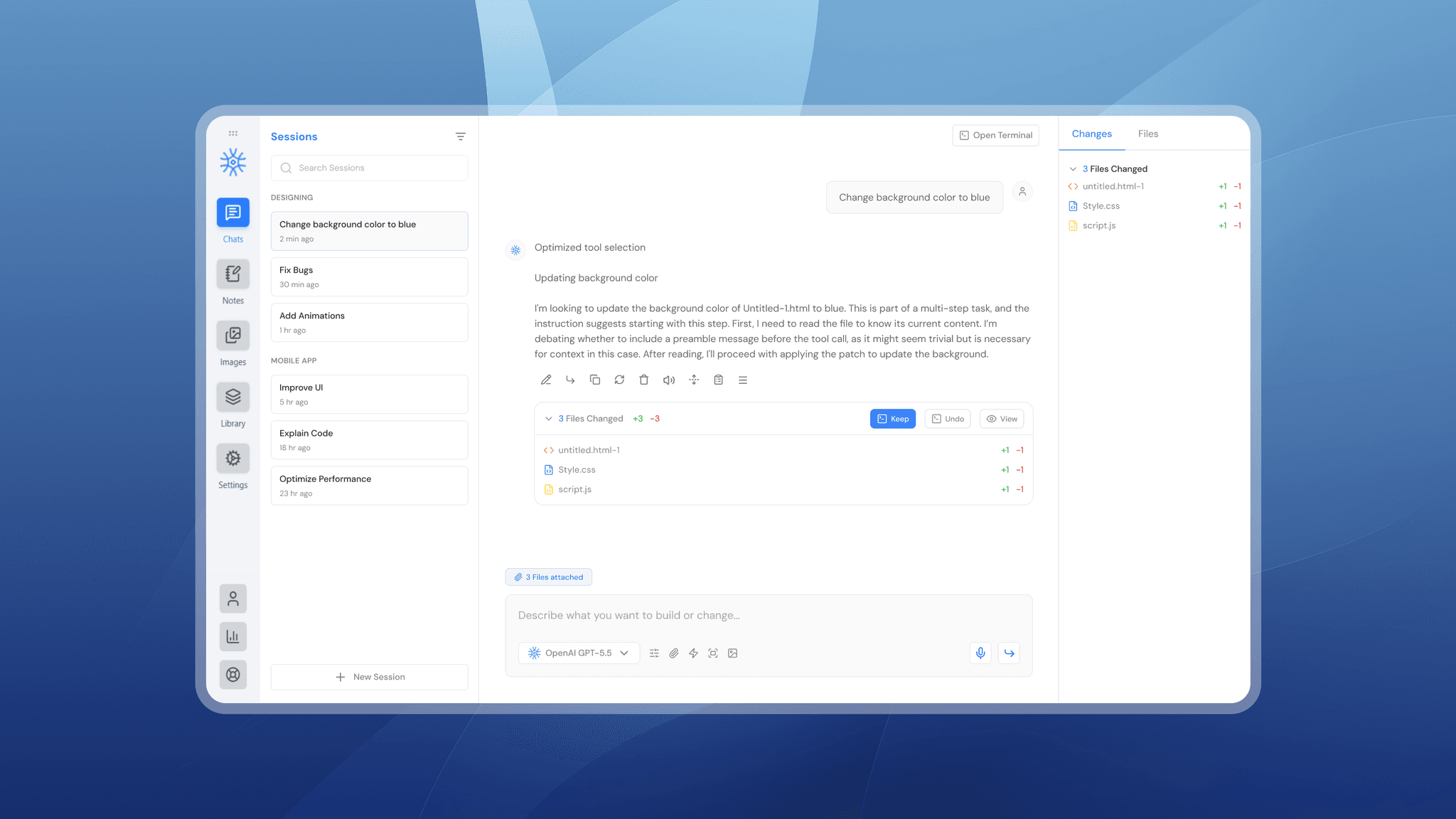
- Code Workspace: We designed a VS Code-style workspace inside 9xchat, with sessions grouped by project, quick actions like Fix Bugs and Explain Code, and Files and Changes tabs. Every AI edit appears as a card with Keep, Undo, and View, and a side-by-side diff shows exactly what changed.
Key Improvements
- A complex, multi-model workspace made approachable
- Reusable skills that are easy to create and manage
- Precise AI image edits on a selected area
- AI code changes that users can review, keep, or undo.